Adovee Digital
Professional cloud-based digital signage platform with AI-powered content creation. Perfect for restaurants, retail stores, and businesses looking to modernize their displays.
Support for Android TV, Raspberry Pi and all modern browsers
Download for Raspberry Pi
Choose your platform and architecture
Choose the right variant for your device
Technical Specifications
| CPU Type | ABI Name | Flutter Flag | Result File |
|---|---|---|---|
| ARM 64-bit | arm64-v8a | --target-platform=android-arm64 | app-arm64-v8a-release.apk |
| ARM 32-bit | armeabi-v7a | --target-platform=android-arm | app-armeabi-v7a-release.apk |
Powerful Features
Cloud-Based Platform
Manage all screens from anywhere. No servers to maintain.
Real-Time Updates
Changes appear instantly on all connected screens.
Advanced Analytics
Detailed insights into screen performance and system health.
AI Content Creator
Create professional content with AI assistance.
How It Works
From activation to publishing - see the complete workflow step by step
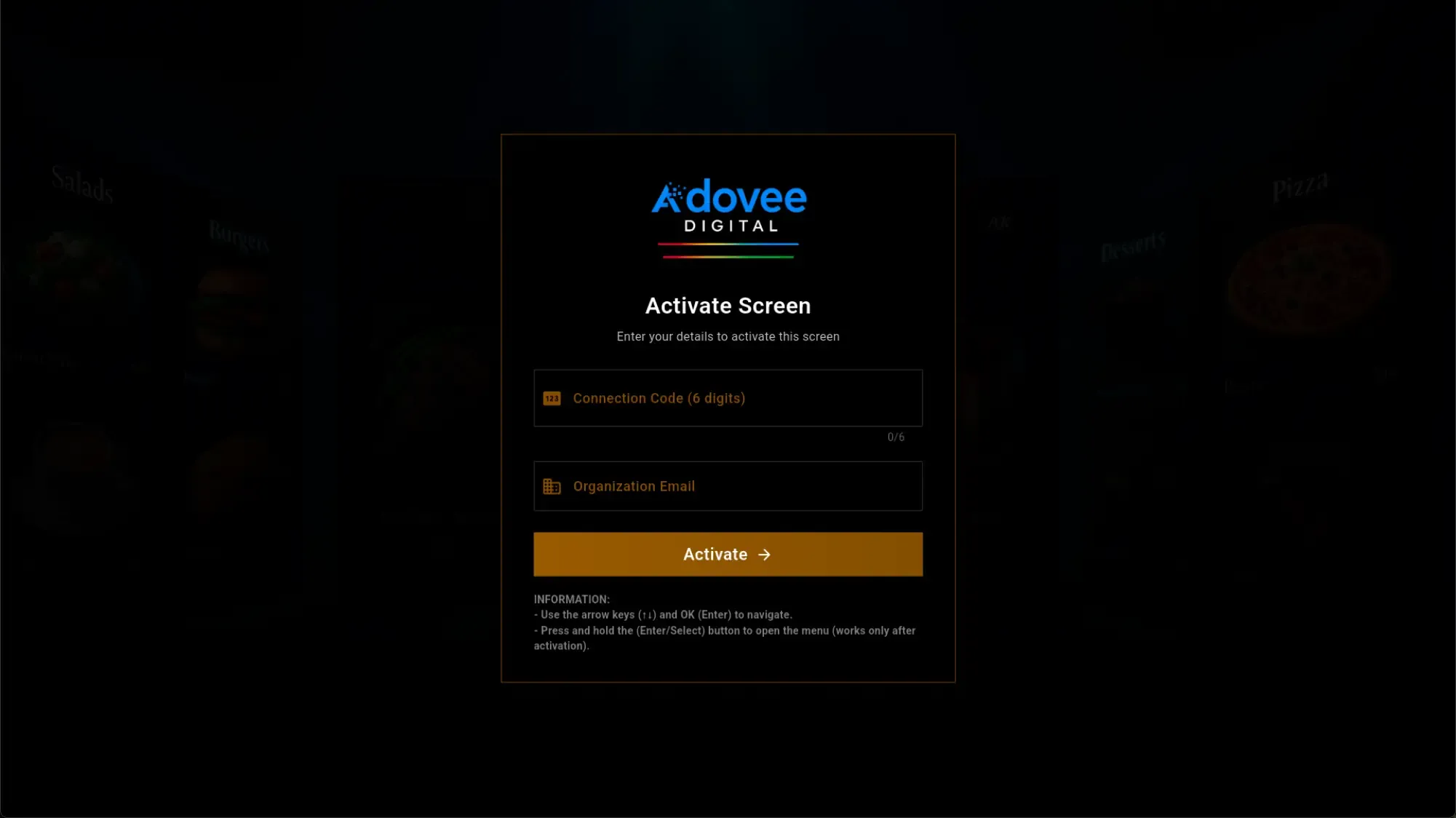
Activate Your Screen
Launch the Adovee Digital app on your Android TV or Raspberry Pi. Enter the 6-digit connection code and your organization email for instant activation. Easy setup without technical expertise.
🔍 SEO: TV screen activation, connection code, digital signage setup
Content Loads Automatically
The platform syncs your content in real-time from the cloud. No manual updates needed - everything happens automatically and securely via our cloud infrastructure.
🔍 SEO: cloud sync, automatic updates, real-time content
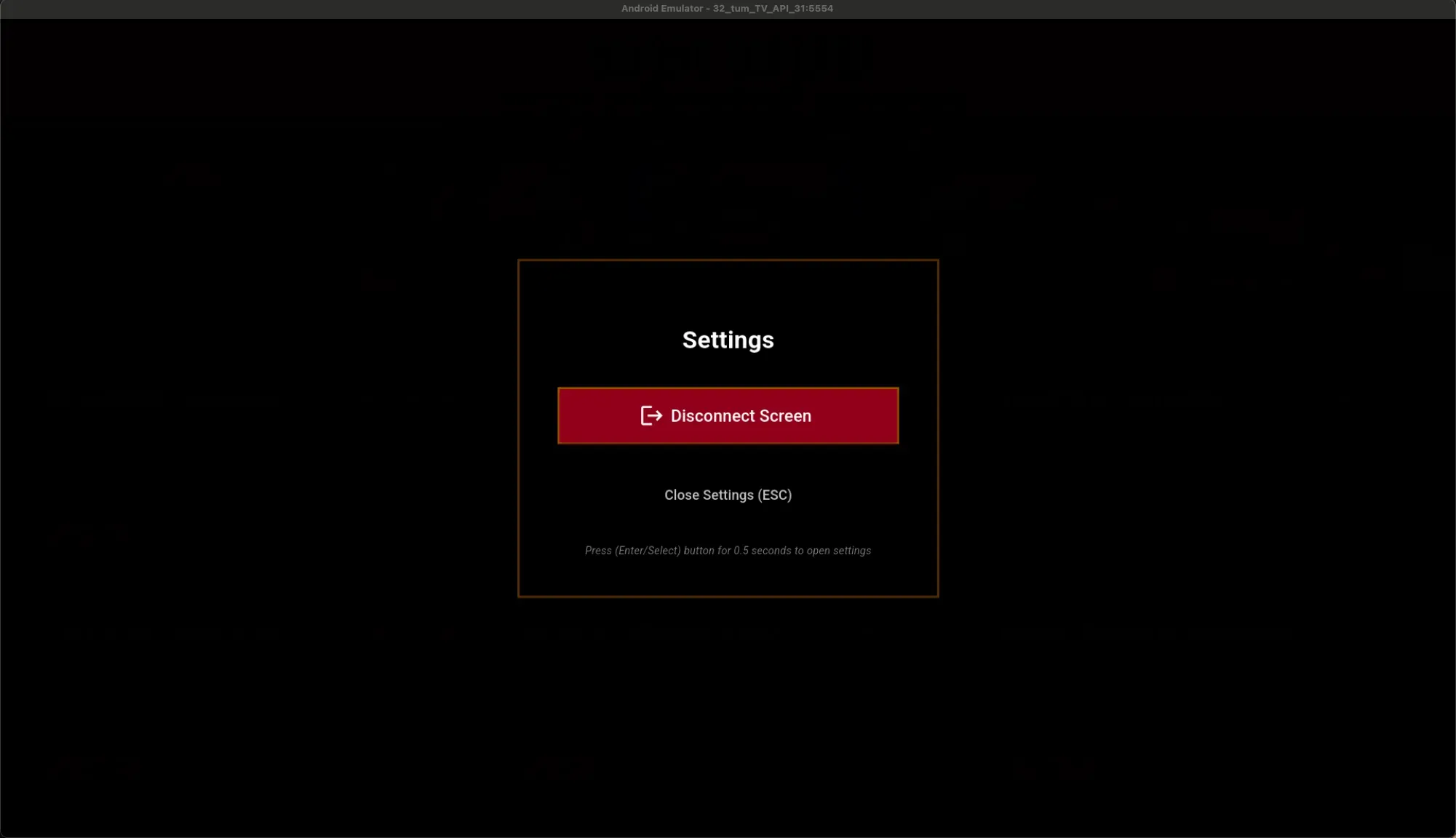
Remote Settings Control
Manage screen settings directly from the TV or via the web platform. Disconnect devices, adjust settings, and check status - all remotely.
🔍 SEO: remote control, screen settings, device management
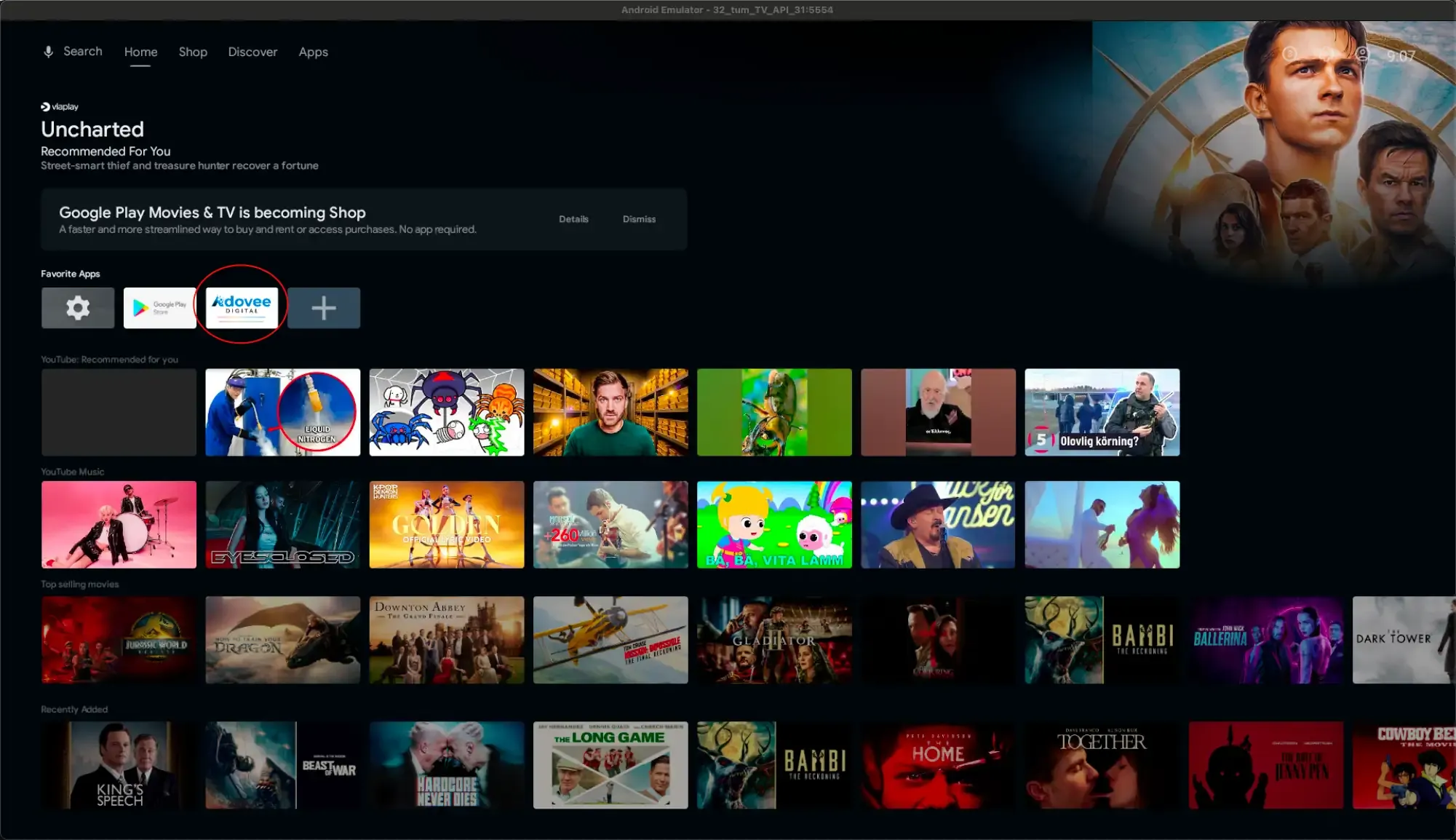
Android TV Integration
Adovee Digital integrates seamlessly with Android TV and Google Play. Available as a favorite app for quick access. Perfect for restaurants, stores, and businesses with Android TV screens.
🔍 SEO: Android TV app, Google Play integration, smart TV digital signage
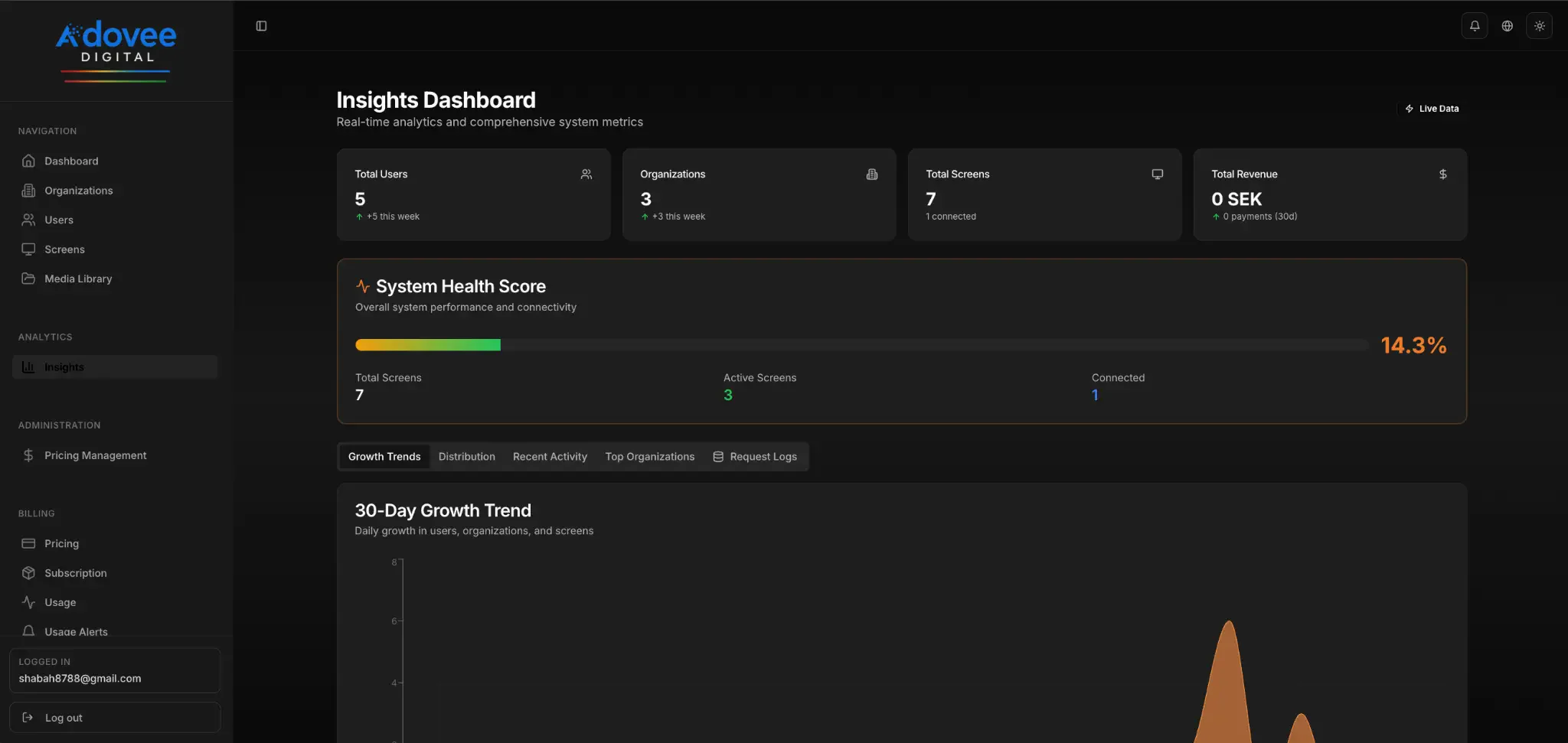
Powerful Analytics Dashboard
Monitor all your screens from a central dashboard. Get real-time insights on system health, users, organizations, and revenue. 30-day growth trends and comprehensive system metrics.
🔍 SEO: digital signage analytics, real-time monitoring, system dashboard, SaaS metrics
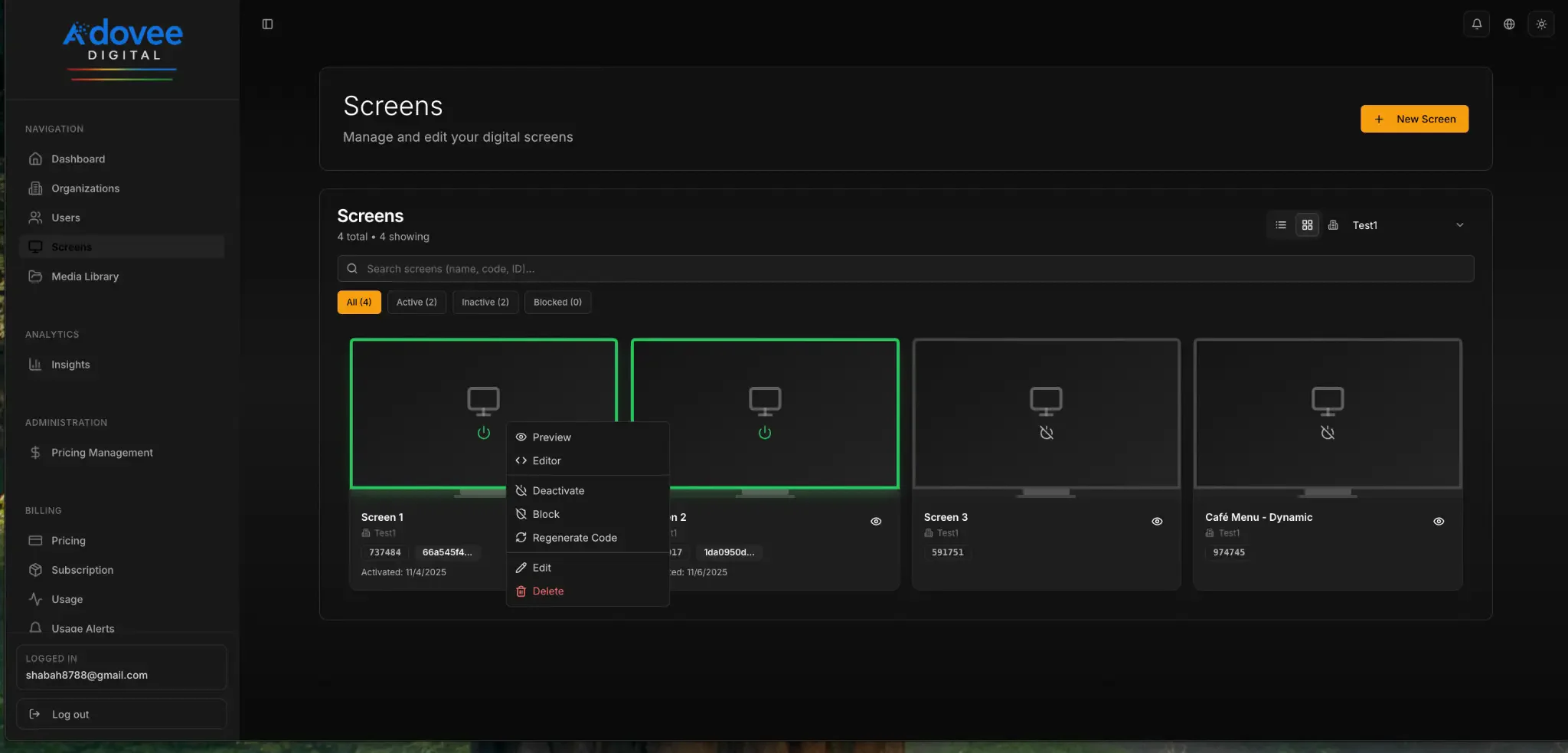
Multi-Screen Management
Manage unlimited screens from a single interface. Filter by status (active, inactive, blocked), preview content, and edit screens in real-time. Perfect for chains with multiple locations.
🔍 SEO: multi-screen management, centralized control, screen status
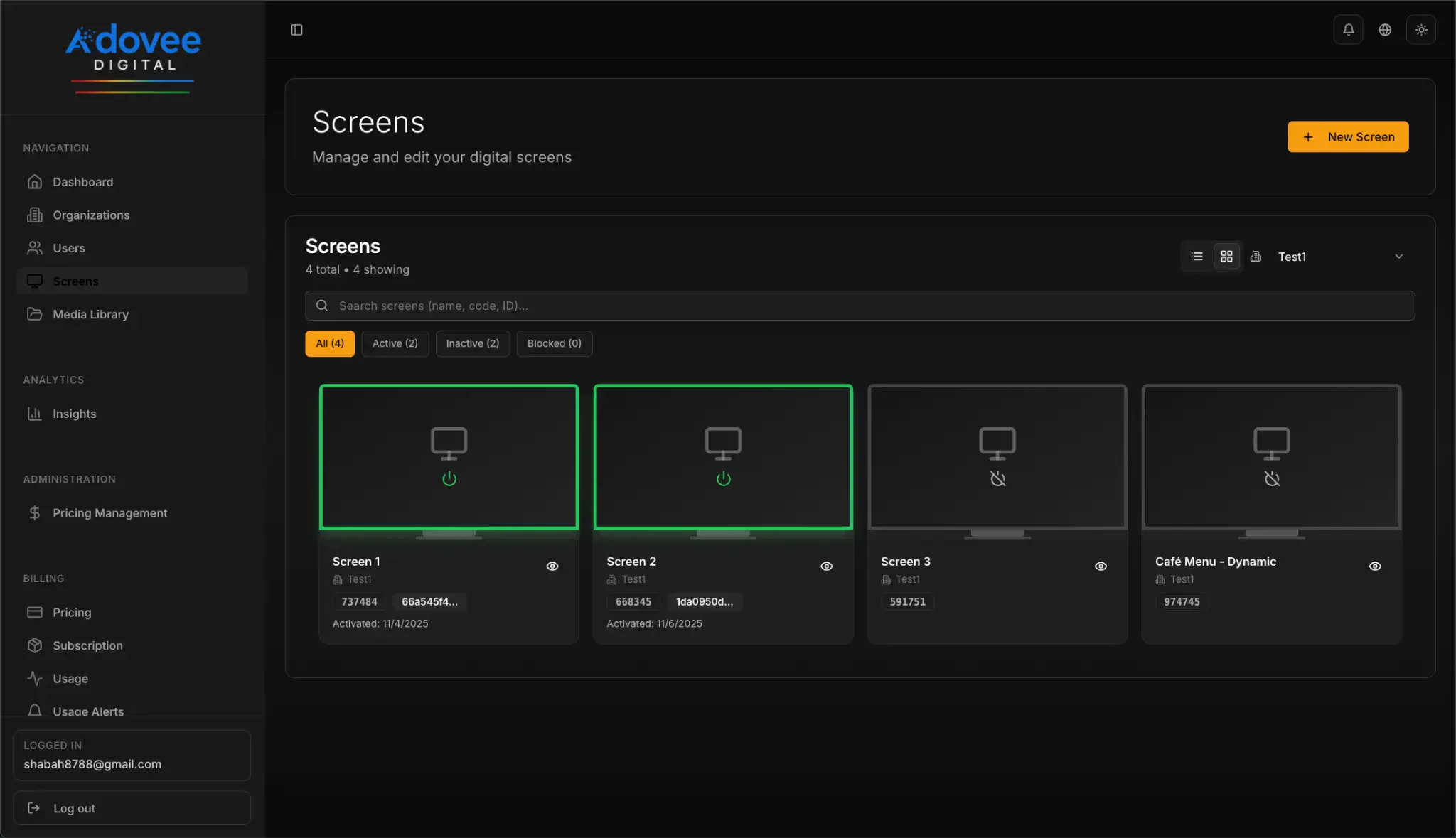
Connected Devices Overview
View all connected screens with detailed information: connection codes, organization ID, activation dates, and real-time status. Easy overview of your entire digital signage network.
🔍 SEO: device overview, connection status, screen inventory
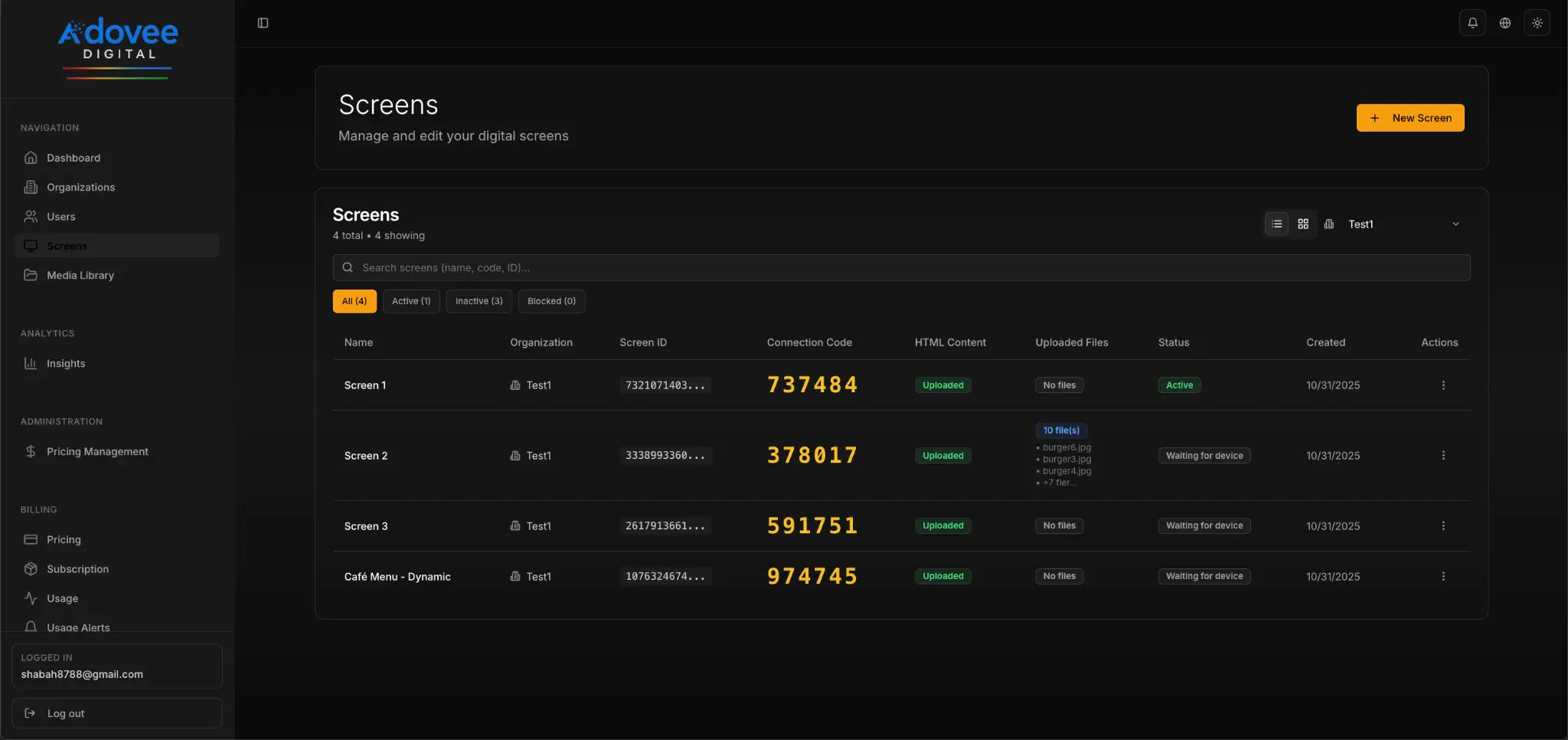
Detailed Screen List
Complete table with all screen details: unique connection codes, uploaded files, HTML content status, and creation dates. Export data and manage multiple organizations simultaneously.
🔍 SEO: screen management, connection codes, content status, file uploads
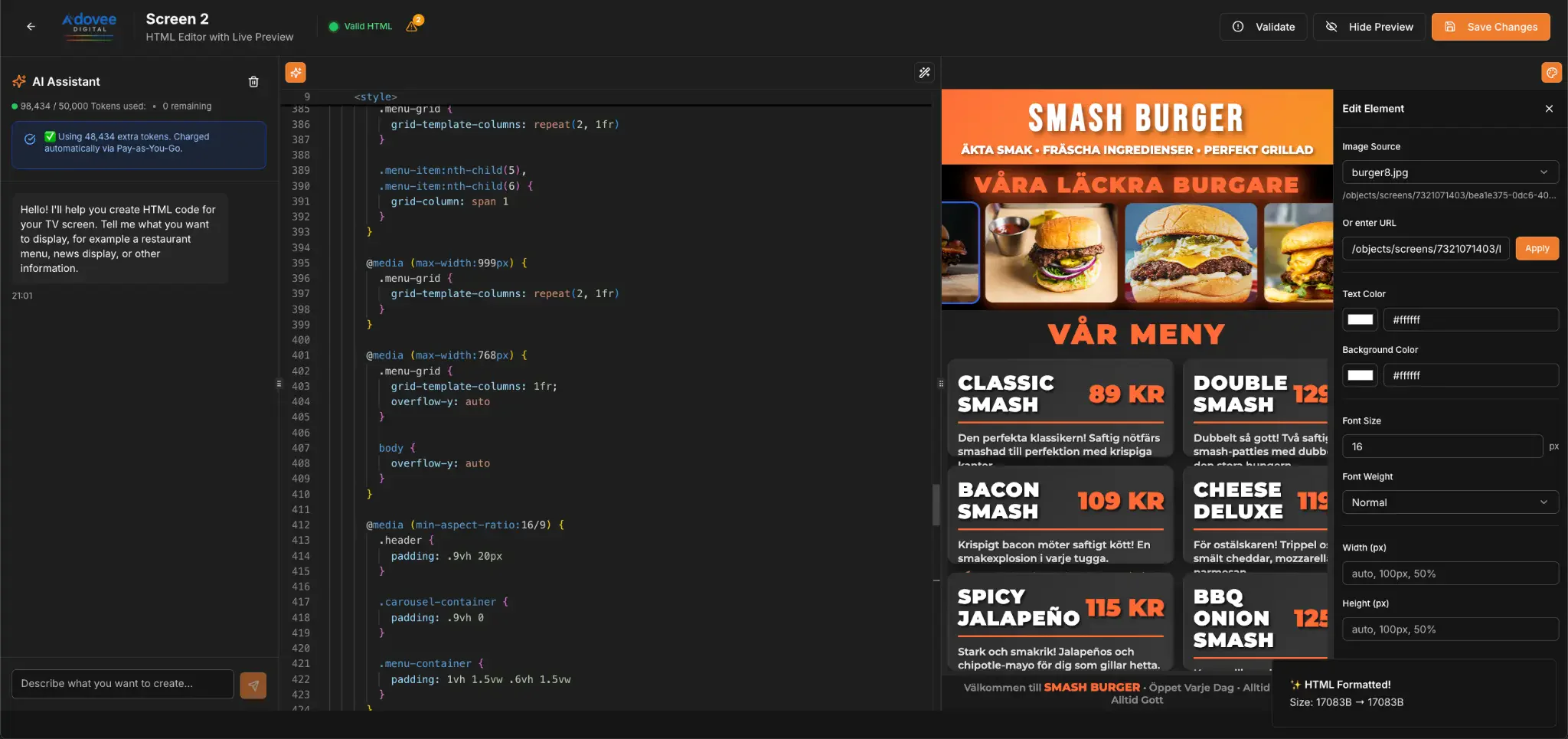
AI-Powered HTML Editor
Create professional content with our AI assistant. Edit HTML code visually with live preview. Perfect for restaurant menus, promotions, and dynamic content. No coding required!
🔍 SEO: AI content generator, HTML editor, visual editor, digital menu, no-code
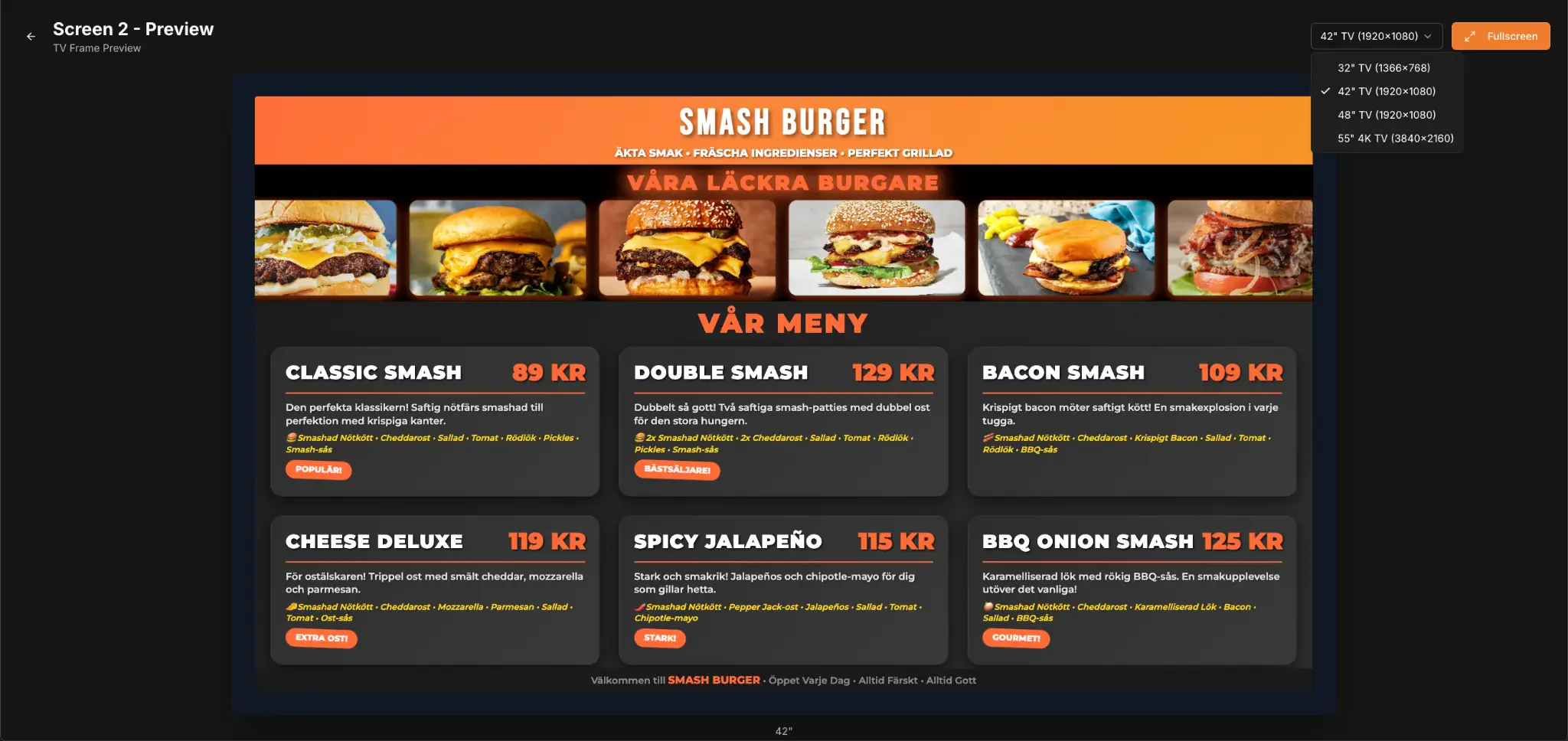
Full-Screen TV Preview
See exactly how your content displays on different TV sizes (32"-55" 4K). Preview restaurant menus, product catalogs, or company information before publishing. Pixel-perfect results.
🔍 SEO: TV preview, digital menu, 4K display, restaurant signage
Ready to Modernize Your Displays?
Start today with Adovee Digital - the complete solution for professional digital signage